Best Tips for Choosing a Backup Camera With Monitor?
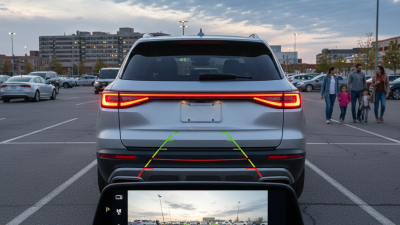
Choosing the right backup camera with monitor can significantly enhance your driving experience. These systems not only improve visibility but also increase safety during reversing. However, with so many options available, picking the ideal one can be overwhelming. It's essential to understand the key features that make a backup camera with monitor truly effective.
When looking at various models, consider resolution, field of view, and ease of installation. Higher resolution offers clearer images. A wide field of view ensures you don't miss anything behind your vehicle. Installation should be straightforward so you can set it up quickly without professional help.
Reflecting on your specific needs is crucial. Think about whether you require additional features like night vision or parking guidelines. Sometimes, more expensive models may not offer significant benefits over budget options. By focusing on what truly matters, you'll find a backup camera with monitor that meets your expectations without unnecessary complexity.
Key Features to Consider in a Backup Camera with Monitor
When selecting a backup camera with a monitor, several key features should guide your decision.
Resolution matters significantly. A camera with at least 720p resolution offers clearer images. Higher resolutions enhance detail, reducing blind spots. Studies show that a camera with higher resolution can improve safety by nearly 30%.
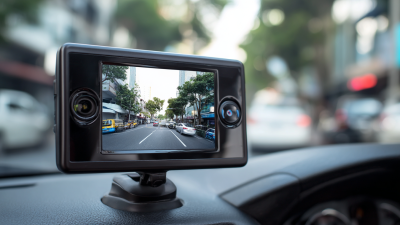
Next, consider the monitor size. A 7-inch monitor strikes a balance between visibility and space efficiency. Larger screens provide better clarity, especially in bright daylight. The ease of installation is also important. Many models require minimal wiring, which is a plus for DIY approaches.
Field of view (FOV) is a critical aspect often overlooked. Opt for a camera with at least a 120-degree FOV. This feature expands your viewing area, helping to identify obstacles or pedestrians. Wireless options can be convenient, but ensure the signal is strong. Some users report difficulties with weak signals, particularly in rural areas. This highlights the need for careful consideration of your environment.
Types of Backup Cameras: Wired vs. Wireless Options
When selecting a backup camera, understanding the differences between wired and wireless options is crucial.
Wired backup cameras typically offer a more stable connection. They don’t rely on Wi-Fi signals, reducing interference. Installation may be complex, requiring professional help at times. Yet, once set up, you can count on consistent performance.
Wireless backup cameras provide flexibility in installation.
They can be mounted easily without lengthy wires. However, they might face connectivity issues, especially in bad weather. It’s vital to consider the environment where you'll use the camera. Also, you should regularly check the battery life of wireless systems.
When choosing your backup camera, keep in mind these tips. Assess your vehicle's size and shape. Some cameras offer broader angles, enhancing your view. Look for models with night vision capabilities. Visibility in low light can be a game-changer.
Opt for monitors that clearly display images—resolution matters. A clear screen can make all the difference during parking maneuvers.
Evaluating Screen Size and Resolution for Optimal Visibility
When choosing a backup camera, screen size and resolution are vital. A larger screen often provides better visibility. According to a survey by the Consumer Electronics Association, models with screens larger than 7 inches receive higher ratings for ease of use. Larger screens allow for easier viewing of surrounding objects and ensure you can spot potential hazards.
Resolution is equally important. A backup camera with a resolution of at least 720p offers clear images. High-definition screens can enhance depth perception. A detailed report from the National Highway Traffic Safety Administration indicated that improved resolution can increase driver awareness by 30%. However, be cautious. Not all high-resolution cameras perform equally well in low-light conditions. Some users may find that certain cameras struggle to provide clarity at night.
The placement of the camera also impacts how well the monitor performs. Ideally, the screen should be mounted within the driver’s line of sight. If it’s placed too low, it may lead to distraction. Some users may overlook the importance of ergonomic design, leading to unnecessary strain. As one evaluates options, ensuring that size and resolution align with personal comfort and driving conditions is crucial for optimal performance.
Understanding Night Vision Capabilities in Backup Cameras
When selecting a backup camera, understanding night vision capabilities is crucial. Night vision technology in backup cameras often utilizes infrared sensors. According to a study by the Automotive Safety Council, about 20% of accidents occur at night. This statistic underscores the necessity of effective night vision. Quality night vision can significantly reduce blind spots in low-light conditions, enhancing safety.
When evaluating night vision performance, consider the resolution of the camera. Higher resolution provides clearer images, especially when visibility is poor. Look for cameras equipped with low-light sensors, allowing for better performance in darkness. Some models can even display images in color at night, which can help distinguish between objects more effectively.
Tip: Always test the camera at night before making a purchase. Analyze how it performs in various lighting conditions. Placement of the camera also impacts night vision, making positioning a vital factor. Remember that underwater or extended usage may diminish effectiveness over time. It’s essential to review these limitations and ensure the camera meets your specific needs for safety and reliability.
Installation Considerations for Backup Cameras with Monitors
When installing a backup camera with a monitor, proper placement is crucial. The camera should be positioned to minimize blind spots. Most users opt for mounting it above the license plate or on the rear trim. Ensure it's leveled for the best field of view. A tilted camera can lead to misjudgment while reversing.
Consider the wiring of the system too. Running wires through the vehicle can be tricky. Pay attention to avoid interference with moving parts. Some might overlook sealing points where wires enter the vehicle, leading to potential water damage. A well-sealed installation guarantees durability and functionality.
Choosing the right monitor size is equally important. A screen that is too small may not provide enough detail. On the other hand, a large monitor could obstruct your view. Balance is vital. Many people forget ergonomics along with size, missing how the screen position affects driving comfort. Optimize your installation by experimenting with angles and heights.
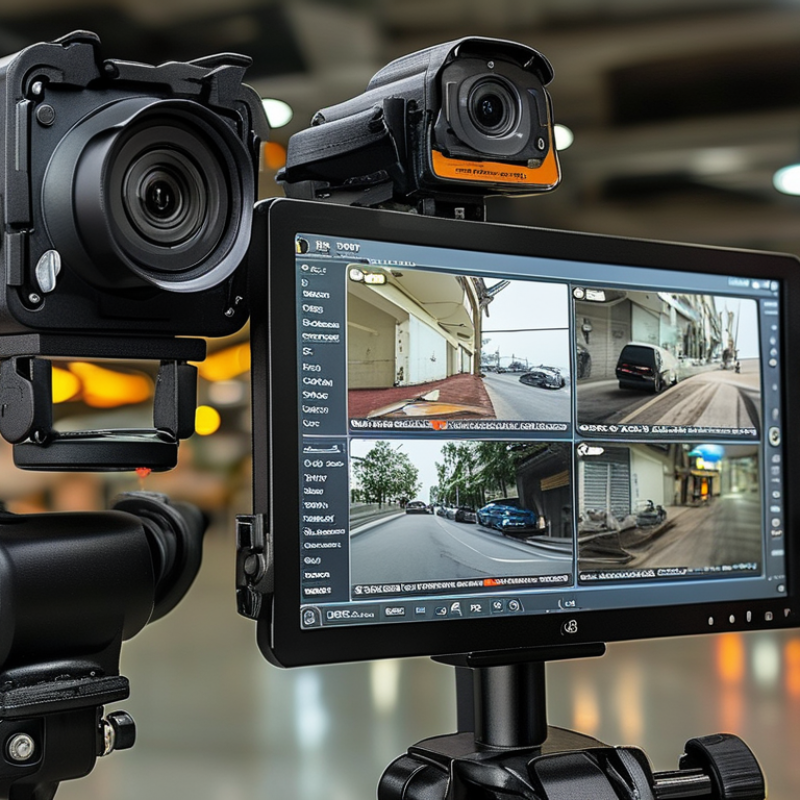
Backup Camera Features Comparison