Leave Your Message

2026 How to Choose an Agricultural Machinery Monitoring Camera

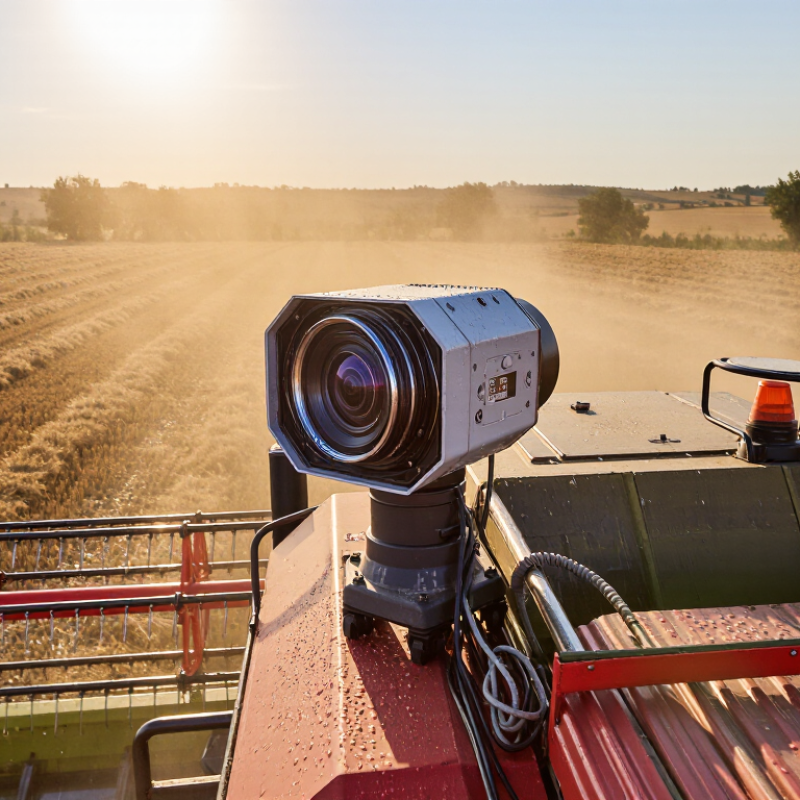
Choosing an Agricultural Machinery Monitoring Camera is not simply a matter of selecting the highest resolution. A camera may capture sharp images in a showroom, yet struggle beside a dusty harvester at sunrise. Field experience shows that vibration, mud, glare, and sudden shadows often matter more than impressive specifications. Visibility matters.

Agricultural robotics researcher Dr. Simon Blackmore has expressed a practical principle: “Robots need to see before they can act.” That idea also applies to tractors, combines, sprayers, and autonomous support vehicles. A useful monitoring camera should provide stable images, dependable night performance, and a wide view around critical working areas. It should also tolerate vibration, moisture, temperature changes, and repeated pressure-washing. These details are easy to overlook.

This guide explains how to compare an Agricultural Machinery Monitoring Camera for real farm conditions. It examines image resolution, infrared capability, lens protection, viewing angle, frame rate, connection methods, and display compatibility. It also considers installation depth. A camera mounted too close to a moving arm may offer detail but create blind zones. A distant camera may cover more ground but lose important visual clues.

There is no perfect setup. Every machine has compromises. A low-cost camera might perform adequately during daylight, but fail when dust covers the lens. A premium model may offer stronger protection, yet demand more complex installation. Buyers should test cameras on their own machinery, under real workloads, before making a final decision. That practical step is often missed.

2026 How to Choose an Agricultural Machinery Monitoring Camera

Define 2026 Monitoring Goals: 1080p Resolution, 30 FPS, and 120° FOV

Choosing an agricultural machinery monitoring camera starts with clear 2026 goals. A 1080p sensor should reveal tire tracks, hydraulic leaks, crop rows, and operator movement. It provides practical detail without creating excessive storage demands. The 30 FPS target supports smoother playback around moving headers, sprayers, and loading points. Lower frame rates can make fast mechanical faults harder to review.

The 120° field of view deserves careful testing. It can cover a wide working area from a cab corner or equipment frame. However, wider views may distort edges and reduce useful detail at long distances. The 2023 MarketsandMarkets Precision Farming report valued this market at approximately 9.7 billion dollars and forecasts about 21.9 billion dollars by 2028. That growth reflects stronger demand for measurable field visibility, not merely sharper images. Camera placement still matters more than specifications alone.

Field experience suggests recording conditions should guide the final choice. Dust, vibration, glare, and changing daylight can defeat an excellent camera. FAO reports that agriculture accounts for roughly 70% of global freshwater withdrawals, so monitoring irrigation equipment can support better resource control. I would not assume 1080p solves every inspection problem. A muddy lens can ruin it. Test the camera beside active machinery, review night footage, and check whether faces, warning labels, and small leaks remain identifiable. Sometimes, a narrower view performs better.

2026 How to Choose an Agricultural Machinery Monitoring Camera

Define 2026 monitoring goals: 1080p resolution, 30 FPS, and 120° field of view

The recommended baseline combines Full HD video at 1920 × 1080 pixels, a 30-frame-per-second capture rate for smoother movement monitoring, and a 120° field of view to cover wider areas around agricultural machinery. Because these measurements use different units, the chart presents each target as an independent specification rather than a direct quality ranking.

Match Camera Durability to IP67/IP69K Protection and ISO 16750-3 Vibration

Agricultural machinery exposes cameras to mud, rain, fertilizer residue, and repeated washing. Camera durability must match the machine’s real working environment. An IP67 enclosure is dust-tight and withstands temporary immersion, typically up to one meter for 30 minutes. That protection suits many outdoor installations, but it may not survive aggressive cleaning.

IP69K protection is more suitable where hot, high-pressure water reaches the camera. However, the housing alone is not enough. Check the lens seal, cable entry, connector, and mounting bracket. A weak connector can defeat a strong enclosure.

Field technicians often find damage around cable bends, especially near vibrating arms and engine compartments. Keep cable loops controlled, but avoid tight bends.

Vibration testing requires equal attention. ISO 16750-3 addresses mechanical loads for vehicle-mounted electrical equipment, including vibration and shock conditions. Ask whether the camera was tested under profiles similar to your tractor, harvester, or sprayer. Mounting position changes the vibration exposure. A roof-mounted unit may experience different forces from a camera fixed beside the engine.

Inspect the installation after several work cycles.

Look for loose fasteners cracked seals blurred images intermittent signals

Small failures matter. A camera can pass a laboratory test yet fail after months of dust and vibration. That uncomfortable gap deserves honest evaluation. Do not choose protection ratings from a product sheet alone. Match them to washing pressure, immersion risk, vibration intensity, and maintenance habits.

Select 4G LTE or 5G Connectivity with Edge Storage for Remote Fields

Remote fields punish weak connectivity. A camera may watch irrigation lines, gates, or livestock areas, yet cellular coverage can change behind trees, barns, and hills. Choose 4G LTE or 5G after testing the exact installation points, not only the nearest coverage map.

4G LTE often provides stable performance with lower equipment and data costs. It suits routine video checks, motion alerts, and wide farm deployments. 5G can support faster live viewing and several high-resolution cameras in one area. However, speed is not everything. A strong 4G signal may outperform unstable 5G during storms or peak network use. Measure upload quality at dawn, midday, and after heavy rain.

Keep recordings at the edge.

Edge storage saves video inside the camera or a nearby recorder when the network drops. This protects evidence of a broken fence or blocked water valve without requiring continuous cloud access. Select enough storage for the desired retention period, and use automatic overwriting with clear access controls. Remote alerts should remain small, such as snapshots or short clips, to control data usage. Solar power, weather sealing, and low-temperature operation also deserve testing. A useful design may still fail if the memory card overheats or the antenna faces the wrong direction. Review those weak points before expanding across the farm.

2026 How to Choose an Agricultural Machinery Monitoring Camera — Select 4G LTE or 5G Connectivity with Edge Storage for Remote Fields
Selection Dimension 4G LTE Option 5G Option Recommended Choice for Agricultural Machinery Practical Notes for Remote Fields
Typical Network Availability Generally available across established rural mobile networks, but coverage varies by terrain and carrier. Available mainly in populated areas, industrial zones, transport corridors, and selected rural deployments. Choose 4G LTE when the machine regularly operates beyond confirmed 5G coverage. Check coverage maps and perform an on-site signal test along the machine’s actual routes.
Typical Downlink Speed Often suitable for one or several compressed monitoring streams; actual performance depends on signal, congestion, and network configuration. Usually provides substantially higher capacity where mid-band or comparable 5G service is available. Choose 5G for multiple cameras, high-resolution live viewing, or frequent cloud uploads. Advertised speeds are not guaranteed field speeds. Video bitrate and network load determine usable performance.
Latency for Live Monitoring Commonly adequate for remote viewing, alerts, and operational checks; latency can increase during congestion. Can provide lower and more consistent latency in a well-deployed 5G network. Choose 5G when near-real-time control-room response is important. Neither connection type removes delays caused by encoding, cloud services, routing, or weak signal conditions.
Video Resolution and Codec Commonly supports 720p or 1080p monitoring using H.264 or H.265 compression. More suitable for several 1080p streams or higher-resolution video when coverage and data plans support it. Choose according to workload rather than resolution alone. H.265 can reduce storage and bandwidth compared with H.264 at similar visual quality, but device compatibility should be verified.
Edge Storage Function Stores footage locally when cellular service is weak or unavailable, then uploads selected clips when connectivity returns. Provides the same resilience while allowing faster synchronization of event clips and priority footage. Required for both in remote fields, regardless of network generation. Use industrial-grade, high-endurance storage and configure overwrite rules, event protection, and health monitoring.
Recommended Local Storage Capacity 128–256 GB is a practical starting range for event recording or short continuous-retention periods. 256–512 GB or more may be appropriate when several cameras record continuously at higher bitrates. Size by bitrate and retention instead of selecting storage by camera count alone. At approximately 2–4 Mbps, one continuously recorded 1080p stream uses about 21.6–43.2 GB per day before overhead.
Offline Recording Requirement Strongly recommended because rural coverage can include dead zones, obstructions, and temporary outages. Still required because 5G coverage may change rapidly outside the served area. Select always-on edge recording with store-and-forward upload. The camera should continue recording during network loss and clearly report storage status and synchronization progress.
Multi-Camera Expansion Suitable for a small number of moderate-bitrate cameras, depending on uplink capacity and data limits. Better suited to multiple views such as implement, hopper, rear attachment, cab, and perimeter cameras. Choose 5G when simultaneous live streams are a core requirement. Calculate total uplink demand using the sum of all camera bitrates plus protocol and operational overhead.
Data Consumption Control Use event-triggered uploads, scheduled synchronization, lower preview quality, and local recording to control usage. Higher capacity does not eliminate the need for bandwidth policies, especially with continuous multi-camera recording. Use policy-based streaming on either network type. Prioritize safety alerts, theft events, maintenance incidents, and geofenced exceptions over routine footage.
Antenna and Signal Design A properly positioned LTE antenna can provide reliable service when a compatible band is available. May require support for multiple 5G bands, careful antenna placement, and a fallback mode for LTE coverage. Choose dual-mode cellular when machinery crosses areas with mixed coverage. Mount antennas away from high-current wiring, metal obstructions, and sources of electromagnetic interference.
Movement and Vibration Select a rugged enclosure, secure connectors, and storage designed for repeated vibration and temperature changes. Requires the same mechanical protection; faster connectivity does not improve physical durability. Required for both with vibration-resistant mounting and sealed connections. Review operating temperature, ingress protection, shock and vibration ratings, and connector retention before installation.
Power Consumption Often a practical choice for battery-powered or duty-cycled systems when bandwidth requirements are moderate. Can increase system power demand depending on modem design, signal conditions, and traffic volume. Choose 4G LTE when energy autonomy is more important than high throughput. Use sleep schedules, motion triggers, low-power modes, and a power budget that includes the camera, modem, storage, and heater if fitted.
Security and Access Control Use encrypted connections, authenticated device access, secure firmware updates, and private network controls where available. Requires the same controls; higher speed does not automatically provide better application security. Required for both with role-based access and strong credential management. Disable unused services, separate camera networks from machine-control networks, and retain audit logs for critical access.
Best-Fit Use Case Single-machine monitoring, periodic live checks, event recording, telematics support, and areas with dependable LTE coverage. Large fleets, several simultaneous video feeds, rapid synchronization, high-resolution inspection, and confirmed 5G service areas. Final rule Select 4G LTE for coverage and efficiency; select 5G for capacity and low-latency workloads. A 4G LTE camera with reliable edge storage is generally preferable to a 5G camera that cannot maintain service at the work site.
Planning note: Network performance, coverage, data allowances, weather, terrain, machine location, camera bitrate, and local regulations can change field results. Validate the complete camera, modem, antenna, storage, and power configuration in the intended operating area before deployment.

Assess Night Vision, HDR Performance, and AI Detection Accuracy

How to Choose an Agricultural Machinery Monitoring Camera in 2026

Night vision is essential when machinery operates before sunrise or after dusk. Test the camera beside a dark field, not only in a bright showroom. Infrared illumination should reveal tire edges, hydraulic lines, and human movement without creating white glare. A useful range depends on dust, rain, lens height, and movement speed. More distance is not always better.

HDR performance matters under harsh contrast. A tractor leaving a shaded barn can enter strong sunlight within seconds. Look for visible details in both the black doorway and bright metal surfaces. Review recorded footage frame by frame. Check whether fast-moving blades become blurred. AI detection should be tested with real farm scenes, including mud, straw, shadows, and partial obstruction. Ask for precision, recall, and false-alarm results, rather than relying on a simple accuracy claim. I have found that a quiet camera can still produce unreliable alerts when dust covers the lens. That weakness deserves attention.

Tips: Install one trial camera first. Record dawn, noon, rain, and night scenes. Compare detection results manually. Clean the lens regularly. Check alerts near vibrating engines. Retest after seasonal changes. A small blind spot may remain. Document it honestly, then adjust the mounting angle or detection zone.

Verify Installation, Data Security, SAE J1455 Compliance, and Total Cost

For a 2026 agricultural machinery camera, installation verification should begin beside the machine, not inside a brochure. Check the lens view from the operator’s seat, then repeat it after vibration, mud, and a wet night. Record cable routing, connector sealing, bracket torque, and image loss during engine cranking. Small gaps matter. SAE J1455 provides environmental practices for heavy-duty equipment, including vibration, temperature, humidity, and chemical exposure. Treat it as a test framework, not automatic certification. Request test conditions and supporting evidence.

Data security deserves equal weight. Use unique credentials, encrypted transmission, signed firmware, role-based access, and documented retention periods. The 2024 Data Breach Investigations Report found human involvement in 68% of reported breaches. That figure makes shared passwords and unmanaged mobile access poor purchasing decisions. Ask where footage is stored, who can export it, and how failed devices are wiped. Cloud convenience is not free. The 2024 Cost of a Data Breach Report estimated the global average incident cost at 4.88 million dollars. Most farms will not face that average, but exposure remains real.

Total cost must include more than the camera invoice. Price installation labor, protective housings, wiring, data plans, storage, calibration, software updates, and replacement time. Compare five-year cost per operating hour, not only purchase price. A cheap camera that loses images after harvest can cost more than a tougher unit. Calculate downtime using local labor rates and crop schedules. I would test one machine before outfitting a fleet. That is slower. Yet field evidence exposes weak night vision, false alerts, and awkward cleaning. Some specifications remain vague, and that should lower confidence.