What Is a Forklift Camera System and How Does It Work?
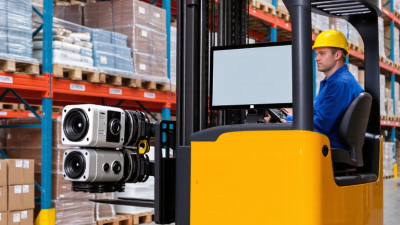
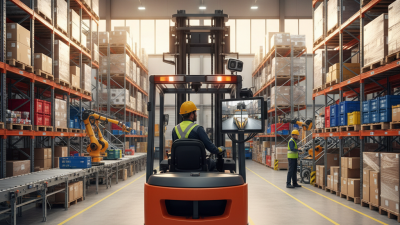
In a busy warehouse, a forklift operator may need to reverse near pallets, rack uprights, and passing pedestrians. A Forklift Camera System helps show areas that are difficult to see from the driver’s seat. It typically includes one or more cameras, a cab-mounted monitor, and cables or wireless connections that carry the video signal. Some systems also include sensors or recording features, depending on the model.
When the forklift starts, the camera sends a live image to the monitor. A rear camera can show the path behind the truck, while cameras mounted near the forks can help the operator judge load position and clearance. The display may switch views automatically when the truck reverses, or the operator may choose a camera manually. Details vary by system. That matters.
A camera can improve visibility, but it cannot replace careful driving, mirrors, or proper training. Images may be affected by dust, glare, vibration, or a blocked lens. The monitor’s position and camera angle also influence what the operator can see. Not perfect. Understanding how the equipment works helps warehouse teams choose a suitable setup, check its condition, and use it as one part of a broader workplace safety plan. Before installation, it is sensible to confirm compatibility with the forklift and consider the routes, loads, and blind spots found in daily operations.
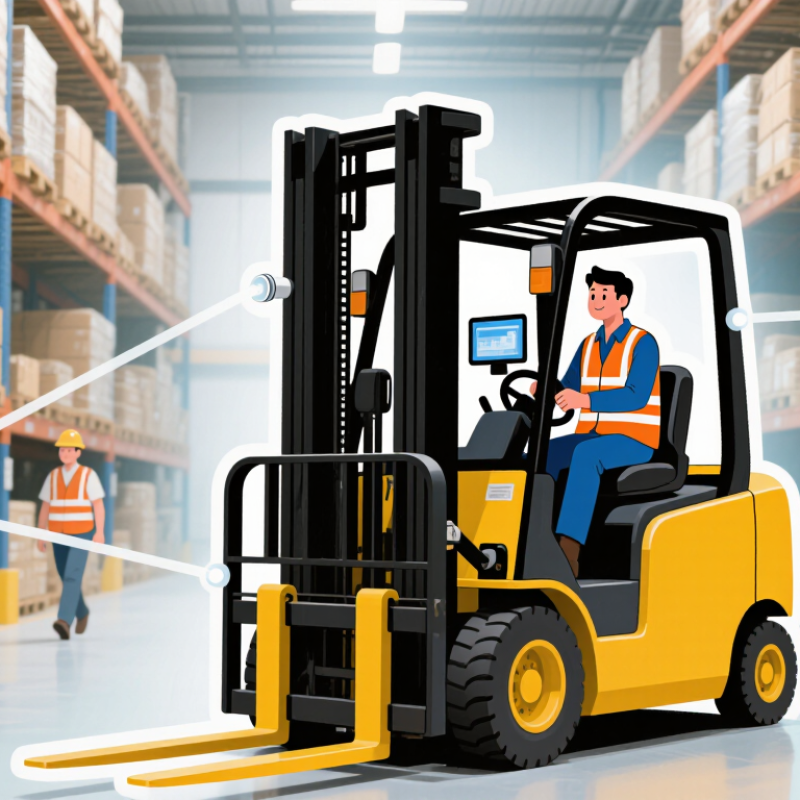
Forklift Camera Systems: Definition, Core Components, and Uses
A forklift camera system is an on-vehicle video setup that gives operators a live view of areas hidden by the mast, load, or chassis. A typical system includes one or more rugged cameras, a cab-mounted monitor, protected cables, and a power connection. Some setups also include a recording unit or distance sensors, though these are not essential. Cameras may face forward, backward, or toward the forks. Small details matter. Dust on a lens can quickly blur the view.
Operators use camera images to check travel paths, watch reversing zones, and align fork tips with pallet openings. A camera near the fork carriage can show where the tines sit beneath a low or bulky load. A rear camera may reveal obstacles hidden by the counterweight. The monitor should sit within the operator’s natural sightline without blocking controls, and the image should be tested from the normal seated position. Not magic. Camera views can distort distance, while vibration, glare, dirt, or a shifted bracket can reduce visibility. Regular cleaning and practical checks help keep the system dependable. It supports, but does not replace, mirrors, safe operation, or operator judgment.
Camera Placement and Image Capture Across Forklift Blind Spots
A forklift camera system uses one or more cameras to show areas the operator cannot easily see from the seat.
Placement matters more than simply adding cameras. A camera near the rear can reveal pedestrians or obstacles behind the truck, while a mast-mounted view can help show the forks and load during pickup. Small shifts matter. A camera aimed too high may miss a low pallet edge; one aimed too low may lose useful distance cues.
Each camera captures video and sends it to a cab display, either continuously or when selected by the operator. Some systems switch views when the truck changes direction. Before relying on an image, check that the lens is clean and the view remains clear as the mast moves. Forks, loads, and protective structures can still block parts of the picture. Lighting also matters: glare from a bright doorway or dim warehouse corners can reduce detail. A camera gives another view, not perfect visibility. Operators should compare the screen with direct observations and keep looking around; that extra glance can feel repetitive, but it may reveal what the camera misses.
How Displays and Sensors Turn Live Images into Operator Alerts
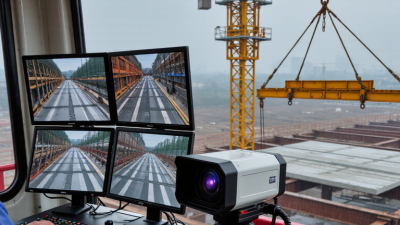
A forklift camera system sends live video from a camera mounted near the forks, rear frame, or mast to a cab display. The operator sees areas that the seat or load may hide. The screen may show a wide view, distance guides, or marked detection zones. Small details matter.
Sensors add context to the image. An ultrasonic sensor can detect an object nearby, while the camera helps the operator judge its shape and position. A controller compares sensor readings with set thresholds, then sends a visual warning or audible alert to the display. Some systems highlight an area on screen when a person or obstacle enters it. Alerts support awareness; they do not steer or stop the forklift.
Timing matters. If the warning comes too late, the operator has little room to react. If alerts sound constantly, they can fade into background noise, so thresholds deserve careful review. Operators should check that the display is visible from their normal posture and that camera views remain clear. Dust, vibration, and a shifted camera can distort useful cues. A live image can still hide something outside its angle, and that limitation is easy to underestimate.
Installation, Calibration, and Protection in Industrial Environments
What Is a Forklift Camera System and How Does It Work?
Installation begins with the operator’s view, not the camera bracket. Position the camera to show the fork tips, load edge, and travel path without blocking existing sightlines. Secure cables away from moving mast sections, sharp edges, and pinch points. Route wiring through protected conduit, then verify the image with forks raised and lowered. Small shifts in camera angle can hide a pallet corner.
Calibration should match real working conditions. Check the display orientation, focus, and viewing area with both empty forks and a typical load. OSHA’s Powered Industrial Trucks guidance notes that forklift incidents cause about
85 fatalities and 34,900 serious injuries annually
in the United States. A camera cannot prevent every incident, but a clear, correctly aimed image can help address blind spots. Dust, vibration, moisture, and temperature changes can loosen mounts or cloud lenses, so select suitably sealed components and inspect them regularly.
Tips: Clean the lens before each shift. Test the image after maintenance. Recheck alignment if the mast or camera mount moves. These checks are easy to skip on a busy floor. That is exactly when they matter.
(OSHA, Powered Industrial Trucks eTool)
Safety Context: OSHA Estimates 85 Forklift-Related Deaths Annually
OSHA estimates about 85 forklift-related deaths and 34,900 serious injuries each year in the United States. These figures appear in OSHA’s Powered Industrial Trucks guidance.
They make blind spots more than a design inconvenience. A pedestrian stepping from a rack aisle, a load blocking the forward view, or a sudden reverse near a loading bay can cause a fatal collision.
The figure is stark. A forklift camera system uses rugged cameras mounted on points such as the mast, rear frame, or fork carriage. Video appears on a cab display, showing areas hidden by the load or vehicle body.
Some systems show a fixed rear view; others switch feeds or flag nearby people and objects with sensors. The display can help with fork placement, reversing, and checking pallet alignment. It does not replace mirrors, pedestrian routes, training, or a spotter when visibility remains poor.
OSHA’s figures show the scale of risk, not proof that cameras alone prevent a specific share of deaths. It is easy to assume the screen solves the problem. It doesn’t. Cameras may reduce uncertainty as an operator eases a load into a rack or backs through a noisy aisle.
But dust can cloud a lens, and glare can wash out an image. A practical installation needs a clear monitor position, regular lens checks, and training on the actual truck and workplace.