What is a Wireless Backup Camera and How Does it Work?
Wireless Backup Cameras have revolutionized vehicle safety and convenience. According to the National Highway Traffic Safety Administration (NHTSA), backup cameras can reduce backover accidents by up to 42%, highlighting their significant impact on road safety. These devices offer drivers an extra layer of awareness by providing a clear view of obstacles that might be hidden from traditional mirrors.
The implementation of wireless technology in backup cameras has enhanced their usability. Unlike wired systems, wireless backup cameras eliminate the hassle of installation, making them accessible for various vehicle types. Some industry reports suggest that the global market for these systems is expected to grow at a CAGR of 7.6% by 2027. This growth reflects increased consumer demand for advanced safety features.
Despite their advantages, not all wireless backup cameras are created equal. Issues such as signal interference and image clarity can arise. Users must consider quality and brand reputation before purchase. As innovations continue, it’s crucial to remain informed about the best options available.
What is a Wireless Backup Camera?
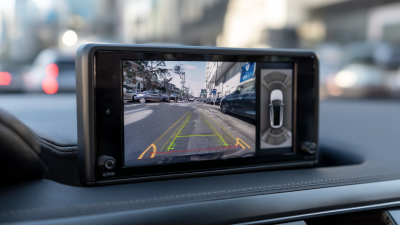
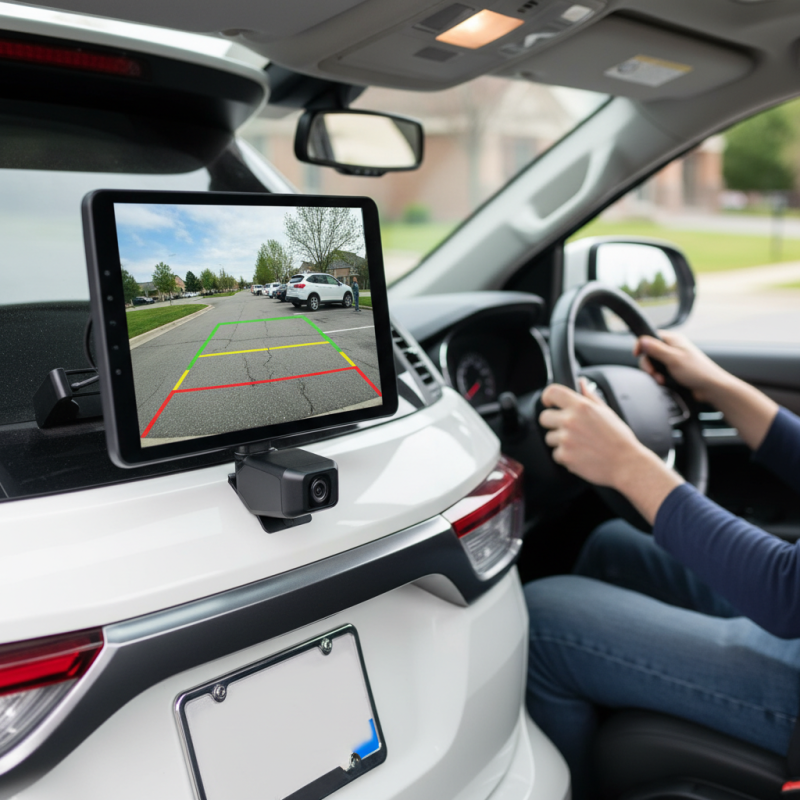
A wireless backup camera is an advanced safety device for vehicles. It plays a crucial role in preventing accidents while reversing. Instead of wires running from the camera to the display, it uses wireless technology. This setup allows for easier installation and a cleaner look in your vehicle.
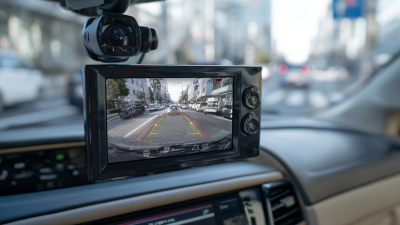
The camera is mounted on the back of the vehicle, often on the license plate frame. It captures real-time video footage of the area directly behind the car. This footage is transmitted wirelessly to a monitor inside the vehicle. Drivers can see what's behind them clearly. This can include obstacles, pedestrians, or other vehicles. Relying on visual cues can make reversing safer. However, some may find it challenging to trust technology fully. There's always a chance of interference or a weak signal, which could lead to missed critical visual information.
While these cameras enhance safety, they are not foolproof. Drivers should still check their mirrors and look around before backing up. Relying solely on the camera could give a false sense of security. A well-rounded approach to safety combines technology with awareness. The wireless backup camera is an excellent tool, but it requires mindfulness from the driver.
Wireless Backup Camera Usage Statistics
The bar chart above illustrates the percentage of usage for various applications of wireless backup cameras. It highlights that the primary use is for parking assistance, followed by collision prevention and blind spot monitoring.
Key Components of Wireless Backup Cameras
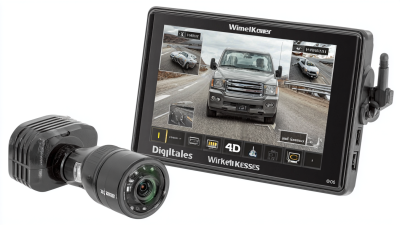
Wireless backup cameras are crucial for modern vehicles, enhancing safety and convenience. Understanding their key components helps users appreciate how they function. These cameras consist of a camera unit, a transmitter, and a receiver. The camera captures the rear view, sending it wirelessly to a screen inside the vehicle. This setup eliminates the need for complicated wiring, simplifying installations.
The camera is often mounted on the car's rear, providing a clear view of blind spots. Transmitters encode the video signal, while receivers decode it for display. This real-time video stream allows drivers to navigate tight spaces and avoid obstacles. Installation can be straightforward, but some users may struggle with alignment. Proper positioning ensures a better field of view.
Tips: Always test the camera installation before finalizing. Adjust angles if needed for optimal coverage. Regular maintenance checks can enhance performance. Avoid relying solely on this technology; always check mirrors too. Keep in mind that weather can affect visibility, so consider this when using the system.
How Wireless Backup Cameras Transmit Video Signals
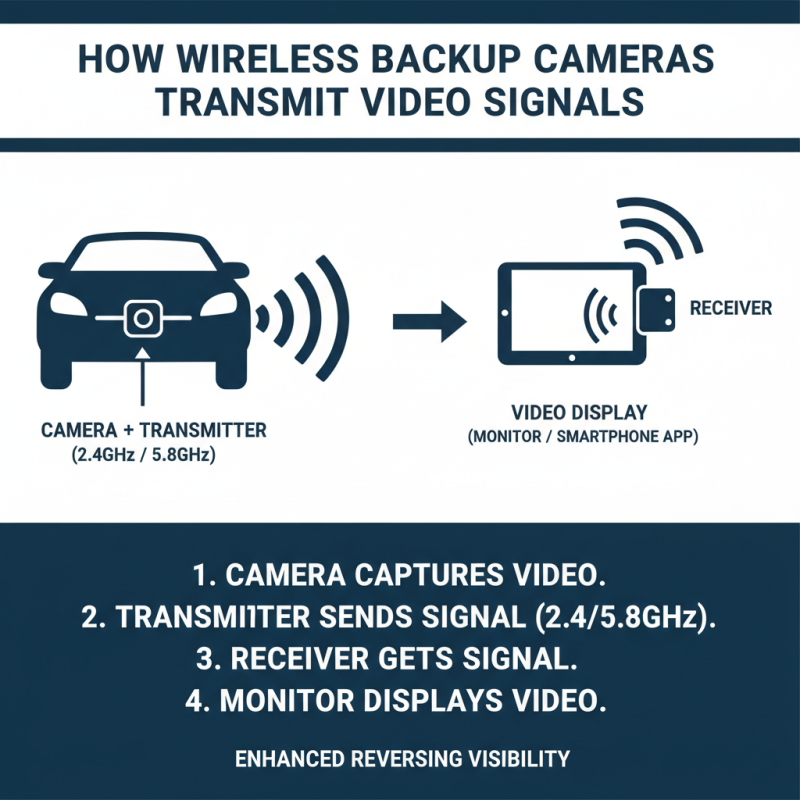
Wireless backup cameras provide drivers with enhanced visibility when reversing. These systems rely on video signals transmitted wirelessly from the camera to a monitor or a smartphone app. The key component in this process is the transmitter and receiver, which operate within specific frequency ranges, typically 2.4GHz or 5.8GHz.
The transmission of video signals is generally achieved through a compact wireless transmitter attached to the camera. This transmitter encodes the video feed and sends it to a compatible receiver. According to industry reports, about 70% of modern wireless backup cameras utilize digital transmission for improved signal clarity. However, obstacles like metal structures or large vehicles can cause interference and reduce signal quality.
Despite advancements, issues can arise. For instance, the distance between the camera and the receiver can affect performance. If the camera is installed too far from the screen, the signal may weaken. Some users report experiencing lag in video transmission, which can create potential safety hazards. Continuous improvements in technology strive to reduce these drawbacks, yet users should remain aware of limitations. Embracing user feedback can drive enhancements and create a more reliable experience on the road.
Advantages of Using Wireless Backup Cameras
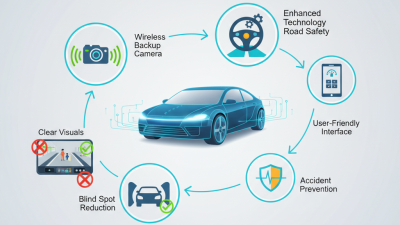
Wireless backup cameras offer significant advantages for vehicle safety. These systems help reduce blind spots and enhance awareness while reversing. Research indicates that over 40% of all rear-end collisions occur due to blind spots. This highlights the need for additional safety features in modern vehicles.
The convenience of wireless technology is a major benefit. No complicated wiring is necessary, making installation simpler. Users can attach the camera to the rear of the vehicle and connect to a monitor inside. Data shows that nearly 70% of users prefer installation that requires minimal manual labor. This ease appeals to many consumers who feel less confident in their car maintenance skills.
Despite their advantages, wireless backup cameras are not without issues. Signal interference can occasionally occur, particularly in urban areas crowded with electronic devices. Users have also reported difficulties in maintaining a stable connection. These concerns can affect the system's reliability. Continuous improvement in technology is essential to enhance user experience and ensure safety on the road.
Installation Process for Wireless Backup Cameras
Installing a wireless backup camera can significantly enhance safety while reversing your vehicle. The installation involves a few key steps that require attention to detail. Before starting, gather tools like a screwdriver, electrical tape, and a drill. Make sure the camera is compatible with your vehicle model.
Begin by selecting the mount location. Many users choose to place the camera near the license plate. Clean the area to ensure proper adhesion. If the camera attaches via adhesive, secure it firmly. Next, route the power cable to the vehicle’s reverse light. Connect the wires carefully, ensuring a solid connection. This part can be tricky, as loose wires may lead to malfunction.
After completing the wiring, test the camera before finalizing the installation. Ensure the view is clear and the angle is correct. Adjust the camera’s position as needed. Note that some users struggle with the wireless signal; obstacles can disrupt connectivity. Troubleshooting this issue may require repositioning or repositioning other components to achieve optimal performance.
What is a Wireless Backup Camera and How Does it Work? - Installation Process for Wireless Backup Cameras
| Feature |
Description |
Installation Time |
Average Cost |
| Camera Type |
Wireless, usually integrated with a monitor |
1-2 hours |
$100 - $300 |
| Signal Transmission |
Uses Wi-Fi or 2.4GHz frequency |
1 hour |
Included in camera price |
| Power Source |
Battery-operated or hardwired |
1-2 hours |
$20 - $50 for installation |
| Display Options |
Smartphone app, rearview mirror display |
30 mins - 1 hour |
Usually included |
| Additional Features |
Night vision, sensors, recording |
Varies |
$50 - $100 extra |