Leave Your Message

10 Tips for Choosing a 10.1 Inch Waterproof Screen

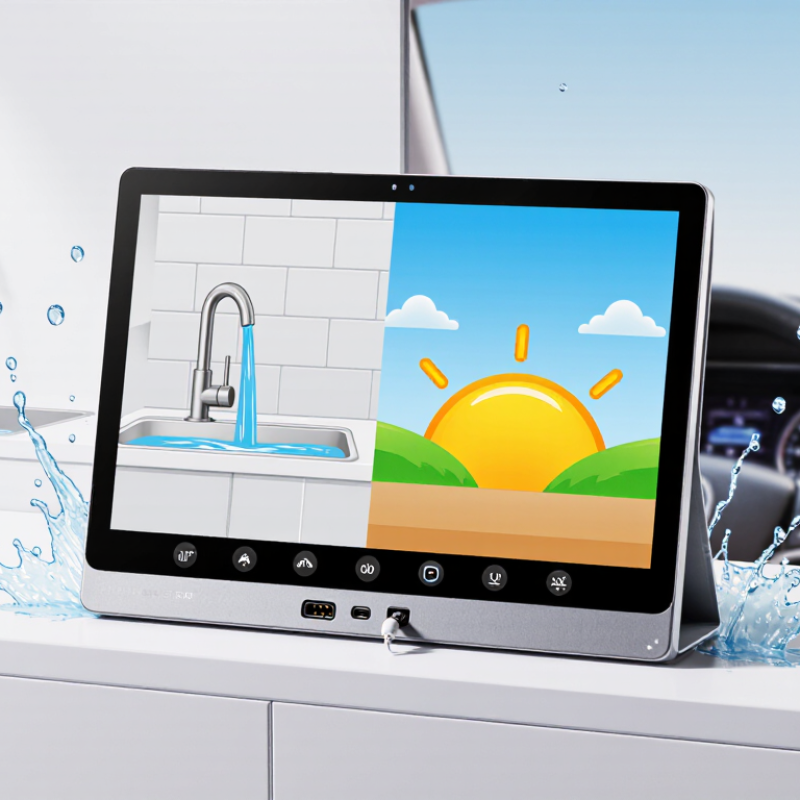
Choosing a 10.1 Inch Waterproof Screen involves more than checking its size or a product label. The right choice depends on where it will operate, how people will use it, and what conditions it must withstand. A screen near a sink faces different risks from one mounted outdoors or inside a vehicle. Small details matter.

Display systems specialist Maya Chen offers a useful rule: “Match the protection rating to the real exposure, not the best-case description.” Treat that as a reminder to verify specifications, not as a substitute for testing. Check the stated ingress protection rating and what it covers. Ask whether the rating applies to the complete assembly, including the bezel, connectors, and cable openings. Water resistance can vary with installation.

Then consider brightness in direct sunlight, viewing angles, touch response with wet fingers or gloves, and the operating temperature range. Confirm that the mounting dimensions and connector locations fit your enclosure. Request test documentation when available, and clarify warranty limits before purchase. A quick splash test may feel reassuring. It proves little about long-term sealing.

Even careful buyers can overlook maintenance. Gaskets age, and poorly routed cables can invite moisture inside. Compare complete product specifications, not just headline claims. The best screen is the one that suits its environment and remains usable after installation—not simply the one with the strongest-sounding label.
10 Tips for Choosing a 10.1 Inch Waterproof Screen

Confirm the 10.1-Inch Diagonal (25.7 cm) Fits the Installation

A 10.1-inch screen is measured diagonally across the visible display, from one corner to the opposite corner. That equals about 25.7 cm, but it does not tell you the screen’s width or height. Those dimensions depend on the display’s aspect ratio. Check the product drawing for the active area and the full housing size, including its bezel. Then measure the installation opening at several points; older panels and cutouts are not always perfectly square. Measure twice. A cardboard template can help reveal a tight corner before the screen arrives.

Leave room for more than the display face. A waterproof screen may need a flat, clean surface for its gasket to seal properly. Check the mounting-hole positions, housing depth, and space behind the panel for connectors and cable bends. A few millimeters matter. Also consider nearby doors, trim, or controls that could block the view or press against the screen. I would not rely on the diagonal measurement alone; it is an easy detail to overtrust. Compare the drawing with the actual opening, and allow enough clearance for installation without stretching or pinching the seal.


10 Tips for Choosing a 10.1-Inch Waterproof Screen

Confirm the 10.1-Inch Diagonal (25.7 cm) Fits the Installation

Approximate active display dimensions are calculated from a 10.1-inch diagonal for common aspect ratios. A 16:10 screen is about 21.8 × 13.6 cm; confirm the actual screen and enclosure measurements, mounting points, and required cutout before installation.

Check IEC 60529 IP Ratings: IP67 Means 1 m of Water for 30 Minutes

When comparing a 10.1-inch waterproof screen, read the full IP rating, not just the word “waterproof.” Under IEC 60529, IP67 means dust-tight protection and resistance to temporary immersion in fresh water. The test involves water up to 1 metre deep for 30 minutes. That is a defined laboratory condition, not a promise for every installation.

Details matter. A screen mounted flush in a panel may rely on a gasket, and uneven pressure can leave a small path for water. Check whether the rating applies to the complete display or only its front surface. Also inspect cable exits, connector covers, and the enclosure around the screen. A loose cover can undermine the rating.

Not ideal. IP67 does not automatically cover powerful jets, salt water, cleaning chemicals, or repeated immersion.

Temperature and seal wear can change performance too. Ask for the test conditions and installation guidance, then compare them with your actual environment. A rating label is useful, but it cannot replace a careful fit check.

Compare Resolution, Brightness in Nits, and Viewing Angle

For a 10.1-inch waterproof screen, resolution affects how clearly small labels, maps, and control icons appear. Compare the pixel count with your typical viewing distance. A 1280 × 800 display may suit large buttons, while denser content can benefit from more pixels. Check the pixels. Resolution alone cannot guarantee sharp text; scaling and the quality of the displayed content matter too.

Brightness is measured in nits, but the highest number is not automatically the best choice. In a bright workshop or near a window, extra brightness can help overcome glare. Indoors, it may cause eye strain and use more power.

Numbers need context. Check whether the listed brightness was measured across the whole screen, and look at the panel under lighting similar to your actual setting. A waterproof cover can add reflections, and wet fingers may make touch input less predictable.

Viewing angle matters when the screen is mounted off-center or shared by several people. Look for consistent color and readable text when viewing from the sides and slightly above. If possible, test the screen at its intended mounting angle rather than judging it straight on.

These checks are imperfect; lighting, protective glass, and user preference can change the result. A specification sheet rarely captures every real-world condition.

Assess Touch and Glass Performance for Wet-Hand and Glove Use

A waterproof rating does not tell you how well a 10.1-inch screen responds to wet fingers. Ask whether its touch controller supports wet-hand and glove operation, and test both modes on the finished display. A few droplets can confuse ordinary touch systems. Try slow swipes, taps, and a two-finger zoom while water beads on the glass.

Glove performance depends on glove material and thickness, so test the gloves people will actually wear. Use a damp fingertip, then a dry glove, then a damp glove. Note missed taps, delayed responses, and accidental inputs near the screen edges. Small icons can become frustrating when a gloved operator must press twice. That matters.

Glass affects control as well as protection. Check whether the surface stays readable under overhead lights, and whether its texture lets a wet finger move smoothly without slipping. Thicker cover glass may reduce touch sensitivity unless the sensor and display are designed for it. Ask for test conditions, including water amount and glove type; vague claims are hard to compare. A bench test helps, but it cannot reproduce every real shift. Be wary of judging performance from one quick demo.

Verify Temperature, Connector Sealing, Mounting, and Power Specifications

For a 10.1-inch waterproof screen, check the full operating-temperature range, not just the storage figure. IEC 60068-2-1 and IEC 60068-2-2 define cold and dry-heat test methods, but the product specification must state its actual limits. Compare those limits with the device’s real environment: a sunlit dashboard can heat quickly, while a cold outdoor start may stress the display. Ask whether touch response and brightness were tested across that range. A datasheet can leave gaps.

Inspect every opening, including connector backs and cable exits. IEC 60529 defines IPX7 testing as temporary immersion in water up to 1 metre for 30 minutes. That rating does not, by itself, confirm resistance to water jets; IEC 60529 treats jet and immersion tests separately. Check the complete mated connector and cable assembly, not only the screen face. Small details matter. Mounting also counts: uneven screw pressure can distort a gasket, and a sharp panel edge may damage it. Follow the specified cutout, fastener torque, and gasket compression.

Confirm supply-voltage range, polarity, peak current, and startup demand before installation. Backlights can draw more power at high brightness, so test the screen with the actual cable length and power source. Leave room for strain relief; a tight bend beside the connector can weaken the seal over time. I would still verify the installation under real vibration and temperature changes, because a clean bench test can miss an awkward fit.