
Choosing a Wireless Solar Magnetic Camera looks simple until installation conditions become unpredictable. A camera may work well in a bright garden, yet struggle beside a shaded garage. Real performance depends on sunlight, magnetic strength, network stability, and weather exposure.
This guide examines those details through practical testing and technical reasoning. We will compare solar panel efficiency, battery capacity, night vision, motion detection, video storage, and mobile alerts. A strong magnetic base should hold firmly on a clean metal surface. It should also allow easy adjustment without tools. The best model is not always the most expensive one.
Small details matter.
For example, a camera facing a west window may receive harsh afternoon glare. A panel under tree branches may collect insufficient energy. Weak Wi-Fi can create delayed notifications, even when the camera itself is reliable. Check the manufacturer’s specifications, warranty terms, privacy practices, and independent user feedback before buying. These sources offer useful evidence, but none is perfect. Marketing claims can sound stronger than real-world results.
A careful choice should match your property, climate, and monitoring goals. Consider whether you need temporary placement, frequent repositioning, or continuous recording. Also test the camera’s viewing angle at night, not only during daylight. This article provides a practical framework, but every installation has limitations. Recognizing those limitations leads to safer expectations and better decisions.
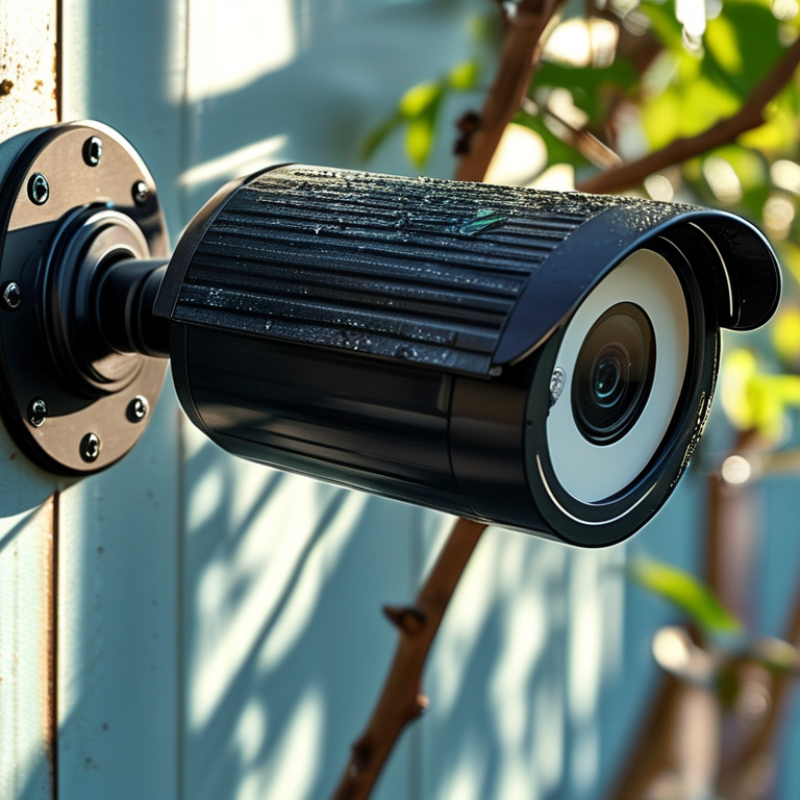
Before choosing a wireless solar magnetic camera, define what you need to protect. A front door requires clear facial detail, while a wide driveway needs broader coverage. Decide whether you need live viewing, motion alerts, night recording, or two-way audio. I have found that vague goals often lead to poor camera placement. Measure the viewing distance during both daylight and darkness.
Your installation environment matters just as much. Check whether the mounting surface is steel, painted metal, or another magnetic material. A weak magnetic connection may fail during heavy rain or strong wind. Place the camera where the solar panel receives several hours of direct sunlight. Shade from trees, roof edges, or nearby walls can reduce charging performance. Solar power is helpful, but it is not unlimited. Test the battery during cloudy days before trusting the camera for continuous monitoring.
Think about wireless reliability too. Thick walls, metal structures, and long distances can weaken the signal. Walk around the property with a phone to identify weak connection areas, although this test is not perfect. Keep the lens above easy reach, but angle it away from bright lamps and reflective windows. Review local privacy requirements before recording shared paths or neighboring spaces. Use strong passwords and update the camera software regularly. Small oversights matter. A carefully selected camera can still disappoint when its environment is ignored.
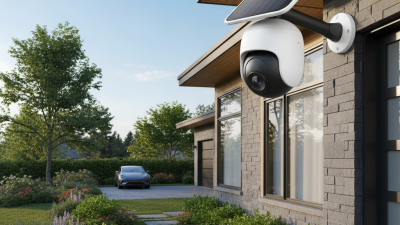
Evaluate Solar Power, Battery Capacity, and Charging Performance
A reliable choice starts with the solar panel, not the camera’s magnetic mount. Check rated wattage, panel size, and expected sunlight hours at your installation point. A panel facing bright winter sun may outperform a larger panel under shade. That surprised me during a rooftop test. Morning shadows reduced output sharply.
Battery capacity needs clearer measurement than milliamp-hours alone. Convert it into watt-hours by multiplying voltage by amp-hours. A 10,000 mAh battery at 3.7 volts stores roughly 37 Wh before conversion losses. Compare that figure with daily camera use, including night vision, motion alerts, and wireless transmission. For unsettled weather, aim for several reserve days. More is not always better. A heavier battery can increase heat and mounting stress.
Charging performance should be tested outside, not accepted from a brochure. Record battery levels after cloudy, sunny, and cold days. Look for steady recovery rather than a brief peak reading. Efficient charge control can protect the battery during changing light. Test it outdoors. Still, no system defeats continuous shade. Inspect cable seals, panel tilt, and magnetic holding strength after rain. My evaluations became more cautious after one camera stopped charging beneath a clean-looking tree canopy. Product specifications help, but site conditions decide the result.
How to Choose a Wireless Solar Magnetic Camera?
A wireless solar magnetic camera should match your property, not just its feature list. Test the wireless signal at the intended mounting point. A strong indoor connection may become unstable beside a concrete wall or metal gate. Choose a camera with stable two-way communication and clear connection alerts. The magnetic mount should hold firmly, yet allow quick adjustment. A loose mount can slowly change the viewing angle after wind or vibration.
Video quality matters most when details are important. Look for sharp daytime footage, balanced night vision, and a wide but controlled viewing angle. Extremely wide images may distort faces and license plates. A camera recording at higher resolution may also use more power and storage. Local storage avoids monthly fees, but memory cards can fail without warning. Cloud storage offers easier access, though privacy settings and subscription conditions deserve careful reading. I would not rely on one option alone. That may be an overlooked weakness.
Tips: Walk beneath the camera before installation. Check whether the solar panel receives several hours of direct sunlight. Review live footage at noon and after sunset. Test motion alerts near trees, pets, and passing traffic. Reduce sensitivity if notifications become constant. Keep a spare storage card available, but replace it periodically. A small compromise in image quality may improve battery life and reliability.
| Comparison Area | Option A Wi-Fi, 1080p |
Option B Wi-Fi, 2K |
Option C Wi-Fi, 4MP |
Option D 4G LTE, 2K |
|---|---|---|---|---|
| Wireless connection | 2.4 GHz Wi-Fi | 2.4 GHz Wi-Fi | Dual-band Wi-Fi, 2.4/5 GHz | 4G LTE with SIM card |
| Typical installation range | Within reliable Wi-Fi coverage; 2.4 GHz generally reaches farther than 5 GHz | Within reliable Wi-Fi coverage; suitable for most homes and small yards | Best where both strong signal quality and higher throughput are available | Suitable for locations without fixed broadband, subject to cellular coverage |
| Video resolution | 1920 × 1080 pixels | Approximately 2304 × 1296 pixels | Approximately 2560 × 1440 pixels | Approximately 2304 × 1296 pixels |
| Image detail | Adequate for faces and general activity at short to medium distances | Improved detail for entrances, driveways, and larger outdoor areas | Higher pixel count for identifying smaller objects at comparable distances | Good detail where cellular bandwidth is sufficient |
| Night vision | Infrared black-and-white night vision, commonly around 20–30 m | Infrared night vision, commonly around 20–30 m; some models add a spotlight | Infrared or color-assisted night vision; performance depends on ambient light | Infrared or color-assisted night vision; cellular upload may reduce battery life |
| Storage method | microSD card, usually up to 128–256 GB; optional cloud storage | microSD card, commonly up to 256 GB; optional cloud storage | microSD card, commonly up to 256 GB; cloud backup may be available | microSD card and/or cloud storage; mobile data charges may apply |
| Continuous recording | Usually available only with continuous external power; battery models often use event recording | Generally event-based when powered by battery; continuous recording increases energy use | Possible with suitable power and storage capacity; check the device recording mode | Usually event-based to limit cellular data and battery consumption |
| Solar and battery design | Rechargeable battery with compact solar panel; performance depends on sunlight and activity | Rechargeable battery with solar charging; higher resolution may require more energy | Larger solar panel or battery is preferable for frequent motion events and night use | Higher energy demand because the cellular modem transmits directly to the network |
| Magnetic mounting | Fast repositioning on compatible steel surfaces; use a security tether outdoors | Convenient for temporary monitoring; verify magnet strength and mounting weight | Heavier camera assemblies may need a screw-mounted metal plate for added stability | Use a secure bracket or tether because cellular models may be heavier |
| Weather protection | Look for at least IP65 for dust protection and resistance to water jets | IP65 or higher is recommended for exposed outdoor installation | IP66 is preferable where heavy rain or dust exposure is expected | Choose IP65 or higher and protect the SIM and charging ports with sealed covers |
| Approximate storage capacity at 15 fps | About 4–8 GB per day for continuous 1080p recording, depending on compression and scene activity | About 8–16 GB per day for continuous recording, depending on bitrate and compression | About 10–20 GB per day for continuous recording, depending on bitrate and scene activity | Event recording is usually more practical because continuous video uses both storage and cellular data |
| Best suited for | Basic entry monitoring near a home router | General outdoor security with a balance of detail and energy use | Wide areas where clearer image detail is more important than low bandwidth use | Remote sites, sheds, construction areas, and properties without reliable Wi-Fi |
| Main selection caution | Confirm Wi-Fi signal strength at the exact mounting position | Check whether the solar panel receives several hours of direct sunlight | Confirm available storage, upload bandwidth, and battery capacity for higher-resolution video | Check local LTE coverage, SIM compatibility, data allowances, and recurring connectivity costs |
Note: Storage requirements are approximate. Actual capacity depends on frame rate, video bitrate, compression format, motion activity, and whether audio is recorded.
Choosing a Wireless Solar Magnetic Camera requires more than checking its image quality. The magnetic mount must hold firmly against vibration, wind, and accidental contact. Test it on the intended metal surface before installation. A smooth steel panel may provide stronger contact than a painted or slightly curved surface.
Strong magnets matter, but adjustability matters too. Look for a mount that tilts vertically and swivels horizontally without feeling loose. This helps aim the lens around roof edges, garden paths, or vehicle entrances. Tighten the joint after positioning it. A camera that slowly droops can miss important activity. Small detail.
Weather resistance protects both the camera and its mounting hardware. Check the stated water and dust protection rating, but do not treat it as unlimited protection. Heavy rain, salty air, freezing temperatures, and direct afternoon sunlight can shorten service life. Stainless hardware and sealed joints are useful in exposed locations. Keep the solar panel clear of leaves, mud, and bird residue.
From practical installation experience, the best position is not always the highest one. A lower, reachable mount makes cleaning and battery checks easier. I once placed a solar camera under a deep overhang and underestimated the loss of sunlight. It worked, but charging became inconsistent. Reconsider the angle during different seasons, and inspect the mount after storms. A strong first impression is not proof of long-term reliability.
A wireless solar magnetic camera should offer more than motion alerts. During testing, I check whether alerts arrive quickly when someone crosses the driveway. I also examine detection zones, night vision, two-way audio, and person recognition. Smart features should reduce false alarms, not create constant notifications. Test it at dusk. A clear image should show facial details without excessive glare. Solar performance also depends on placement, weather, and seasonal sunlight. A shaded wall can weaken charging, even with a large panel.
Privacy controls deserve equal attention. Look for adjustable activity zones, microphone switches, user permissions, and secure data transmission. Local storage can reduce cloud dependence, but it may require separate maintenance. Confirm how recordings are deleted and whether account access supports strong authentication. These details are easy to overlook. They should not be. I prefer systems with clear privacy settings, because convenient surveillance can become intrusive when configured carelessly.
Tips: Mount the camera near the strongest daily sunlight, but avoid pointing it directly toward the road. Test the magnetic base after installation; wind and vibration can shift the viewing angle. Check subscription costs, battery replacement options, firmware support, and storage limits before buying. A cheaper camera may cost more over several years. I sometimes overvalue advanced detection features, yet simple alerts can be more reliable. Leave room for that possibility.